
Works like a normal drive
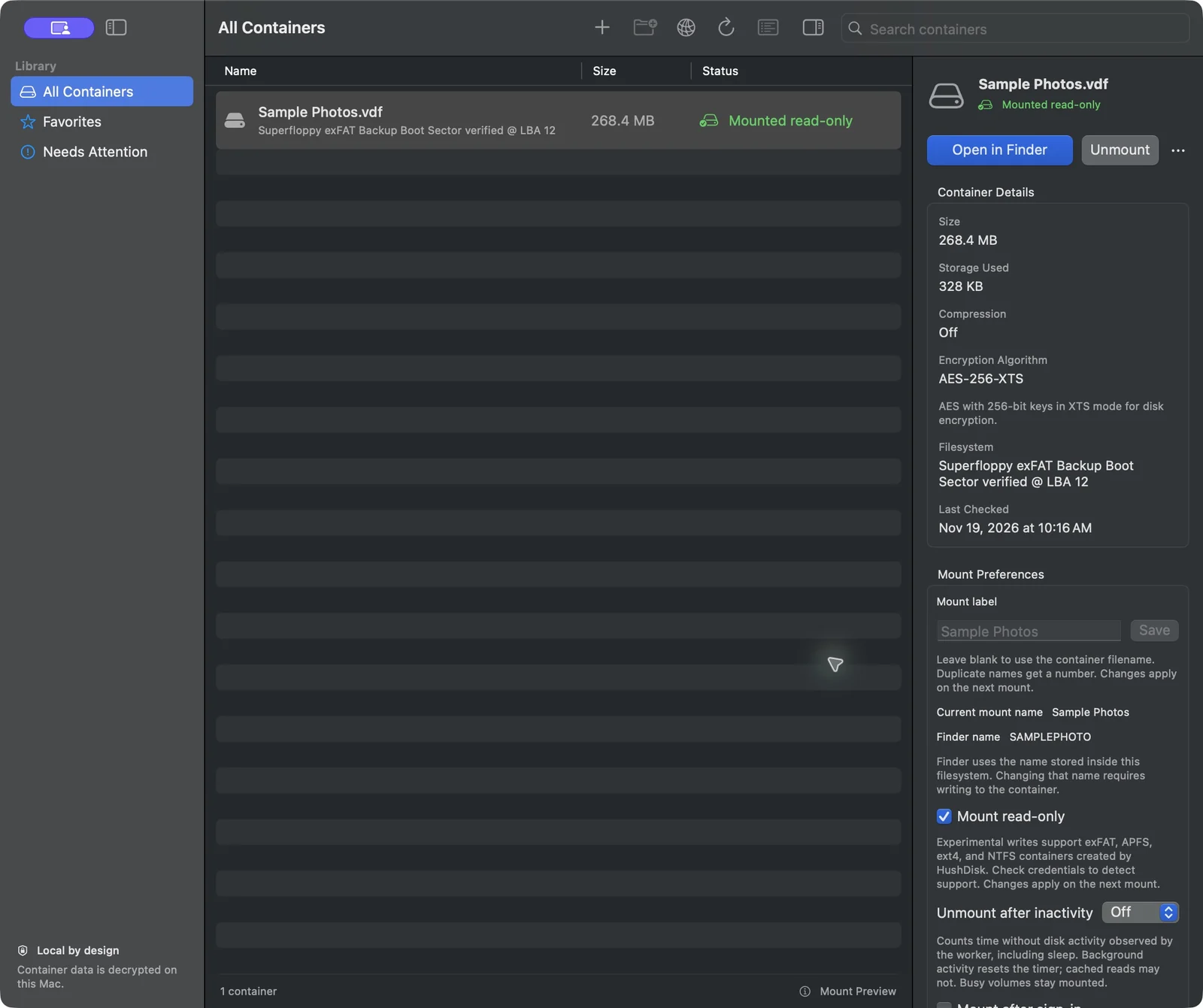
Open files in any app, save changes, and drag folders in and out. Unmount the container and the drive disappears.
HushDisk mounts VDF file containers in Finder, GNOME Files, File Explorer, and Android’s Files app. Decryption happens as you read. Mounting never exports a plaintext copy of the container.

Android BasicAd-free. No account required.
Early access on macOS, Linux, Windows, and Android. Review build status and requirements.
Writing, repair, conversion, and password changes carry additional risks. Read the data safety and liability notice before using them.
Everything here works in both editions of the macOS, Linux and Windows apps unless a line says otherwise. The Android app does less so far: it creates and opens exFAT and ext4 containers, read-only until you allow writes, and its tab under Platforms lists what it doesn't do yet.
Open files in any app, save changes, and drag folders in and out. Unmount the container and the drive disappears.
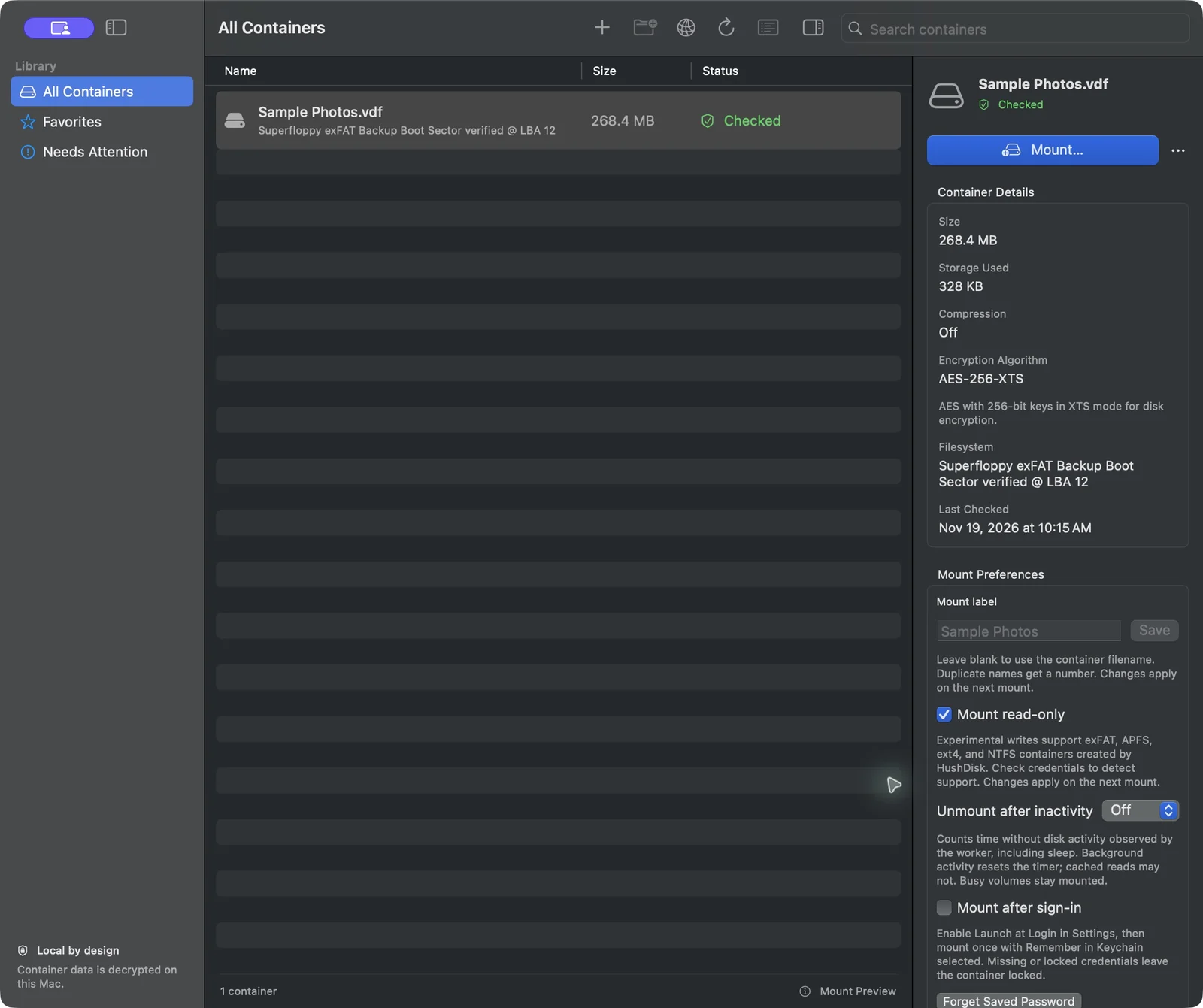
New mounts open read-only. You turn on writing yourself, so browsing an archive cannot change it.
Password, cipher, and compression changes create a new container and read it back before anything is replaced.
Create exFAT, FAT32, and NTFS containers on desktop, ext4 on macOS, Linux, and Android, and APFS on macOS. Android supports exFAT and ext4.
A generator and strength meter help with new passwords. Saving a password in the system keychain is optional and set per container.
Give a container an inactivity timeout. Selected containers can also mount read-only when you sign in.
Capture a removable disk into a new encrypted container. HushDisk reads it twice and requires matching reads before the copy is encrypted and checked.
Older AES-256-XTS, SSE1, and XOR containers open without being rewritten. Conversion is a separate checked copy. New password-only containers use revision 7; update each device to build 100 or later before sharing them. Pro keyfile containers use revision 8 and require a compatible macOS or Android Pro build.
Use the same encrypted containers across your own devices and network. Pro includes every Basic feature and adds workflows for shared storage and private capture.
See Pro downloadsRevision 6 and 7 containers created with AES-256-XTS or XChaCha20 encrypt and authenticate stored records on the device before they reach container storage. HushDisk does not send container passwords, encryption keys or plaintext file contents to HushDisk servers. After unlock, the operating system and apps you allow can copy or cache plaintext, and HushDisk cannot revoke those copies. Read the important information, data safety and liability notice.
One engine and one container format on every system, with a native app on each. The apps are available in English, Ukrainian, Spanish and Russian.
hushdisk command. Drives stay mounted after you close the window.hushdisk command. Drives stay mounted after you close the window.hushdisk command./Pictures/HushDisk inside the open writable local or SMB container. HushDisk's camera uses bounded memory instead of a plaintext photo file; for SMB, the server receives encrypted container blocks. The installed-camera option provides the controls that camera exposes, but its own caches and retained copies are outside HushDisk's control. Capture does not redirect the phone's default or lock-screen camera. Unsaved photos can be lost on Lock, timeout, process death or power loss. Physical-camera and SMB-capture qualification remain open./Movies/HushDisk in a writable local exFAT or ext4 container. HushDisk's camera offers 720p, 1080p and supported 4K SDR, pause and resume, and optional audio (off by default). Capture uses the container's selected algorithm. XOR provides no confidentiality. Installed cameras can keep their own copies. Compatibility and performance on physical devices remain unqualified. Video over SMB is planned.Basic handles encrypted containers on your device. Pro adds network access and private media capture. Both open the same containers.
Encrypted local containers in your usual file manager, with read-only mounting, checked copies, and recovery tools.
Download BasicEverything in Basic, plus SMB network containers on macOS, Linux, and Android, and private photo or video capture on Android.
Download Pro| Capability | Basic | Pro |
|---|---|---|
| Local containers | Included | Included |
| SMB network containers | Not included | macOS, Linux, Android |
| Portable keyfiles | Not included | macOS, Android |
| Private photo capture | Not included | Android |
| Private local video | Not included | Android |
| Hidden volumes | Not included | Planned |
| Secure file deletion | Not included | Planned |
| Current packages | macOS, Linux, Windows, Android | macOS, Linux, Windows, Android (development versions) |
Pro network and capture features remain development workflows with platform-specific qualification limits. Every Pro package is a development version. Video over SMB is planned.
On macOS, Linux and Windows, Pro replaces an equal or older Basic build and keeps the shared library, settings, credentials and containers. Installing Basic over Pro requires an explicit uninstall or package override after every container is closed. Published Pro downloads cannot be older than Basic for the same system. Android installs Basic and Pro separately. Current editions signed with the same owner certificate can copy a selected locked container in either direction. Passwords, settings, saved credentials and network locations do not transfer. Older or differently signed editions use encrypted Export and Import.
A second, separately encrypted volume inside an ordinary container, opened with its own password. The format is still being designed.
Erase the keys protecting selected files so their contents cannot be decrypted. The guarantee will cover only a qualified container profile and key provider. Copies outside the container are not covered.
Neither planned feature is in current builds.
Choose your platform and edition. Basic keeps containers on your device. Pro adds SMB network containers and Android private media capture.
Early access development builds. No public release yet.
Choose your system, then check the requirements beside each download.
Requires: Apple silicon; macOS 15.4 or later; macFUSE 5.4 or later with FSKit modules enabled.
Development build; qualified on macOS 26.5 on Apple silicon; ad-hoc signed and not notarized.
Download macOS Pro Check the requirements before installing. Review package detailsRequires: Apple silicon; macOS 15.4 or later; macFUSE 5.4 or later with FSKit modules enabled.
Development build; qualified on macOS 26.5 on Apple silicon; ad-hoc signed and not notarized.
Download macOS Basic Check the requirements before installing. Review package detailsRequires: amd64 with systemd; Ubuntu 24.04 LTS or later, Debian 13, or a distribution based on them.
Development build; tested on Ubuntu 24.04 LTS; other distributions and architectures are unqualified.
Download Linux Pro Check the requirements before installing. Review package detailsRequires: amd64 with systemd; Ubuntu 24.04 LTS or later, Debian 13, or a distribution based on them.
Development build; tested on Ubuntu 24.04 LTS; other distributions and architectures are unqualified.
Download Linux Basic Check the requirements before installing. Review package detailsRequires: 64-bit Windows 10 version 22H2 or Windows 11; Microsoft iSCSI Initiator service enabled.
Development build; tested on Windows 11 and Windows 10 22H2 x64; installer is unsigned.
Download Windows Pro Check the requirements before installing. Review package detailsRequires: 64-bit Windows 10 version 22H2 or Windows 11; Microsoft iSCSI Initiator service enabled.
Development build; tested on Windows 11 and Windows 10 22H2 x64; installer is unsigned.
Download Windows Basic Check the requirements before installing. Review package detailsRequires: Android 11 or later on a 64-bit Arm (arm64-v8a) phone or tablet.
Development build tested on an Android 16 emulator with 16 KiB pages. Physical phone testing is pending.
Download Android Pro Check the requirements before installing. Review package detailsRequires: Android 11 or later on a 64-bit Arm (arm64-v8a) phone or tablet.
Development build tested on an Android 16 emulator with 16 KiB pages. Physical phone testing is pending.
Download Android Basic Check the requirements before installing. Review package detailsWrong or unknown system? Use the complete package list below. Architecture, distribution, and dependencies still need checking before installation.
Test builds from current development. Each new build replaces the previous one for its system, and none of them is a release.
macOS: HushDisk for macOS (.pkg, Apple silicon)
Requires: Apple silicon; macOS 15.4 or later; macFUSE 5.4 or later with FSKit modules enabled.
Development build; qualified on macOS 26.5 on Apple silicon; ad-hoc signed and not notarized.
SHA-256: b464ef47926e948fad106322930d758d3fc1d9d3f94f03d1d5f6ca4d55dcd128
Linux: HushDisk for Linux (.deb, amd64)
Requires: amd64 with systemd; Ubuntu 24.04 LTS or later, Debian 13, or a distribution based on them.
Development build; tested on Ubuntu 24.04 LTS; other distributions and architectures are unqualified.
SHA-256: aae138211f89b0193b0205752964f5a1c6a611ba0597fa4abef0c9d4f54e18c4
Windows: HushDisk for Windows (.msi, x64)
Requires: 64-bit Windows 10 version 22H2 or Windows 11; Microsoft iSCSI Initiator service enabled.
Development build; tested on Windows 11 and Windows 10 22H2 x64; installer is unsigned.
SHA-256: d5b8a821a3815925926aacbe1f5a070ae03ace24013b6dc7c015cea561a69551
Android: HushDisk for Android (.apk, arm64)
Requires: Android 11 or later on a 64-bit Arm (arm64-v8a) phone or tablet.
Development build tested on an Android 16 emulator with 16 KiB pages. Physical phone testing is pending.
SHA-256: f424e820a9198686ac3a4465980f2b3bd176f68cdd9487ab43c8bc44f912fa5a
Android Basic native component sources (.tar.gz)
SHA-256: 5c860d73222e443a94e0688ba3672b3d3fb14eaeb8b2615745fdc8212381f7c8
macOS: HushDisk Pro for macOS (.pkg, Apple silicon)
Requires: Apple silicon; macOS 15.4 or later; macFUSE 5.4 or later with FSKit modules enabled.
Development build; qualified on macOS 26.5 on Apple silicon; ad-hoc signed and not notarized.
SHA-256: 56c262266f5d454a78e9b64f1f1e5814a73dd1c33b579bed4a976847d5970a1a
Linux: HushDisk Pro for Linux (.deb, amd64)
Requires: amd64 with systemd; Ubuntu 24.04 LTS or later, Debian 13, or a distribution based on them.
Development build; tested on Ubuntu 24.04 LTS; other distributions and architectures are unqualified.
SHA-256: 8492d652ca34a4714b8242f0ca4798eeb27db49979eb8193f9395e98746312e0
Windows: HushDisk Pro for Windows (.msi, x64)
Requires: 64-bit Windows 10 version 22H2 or Windows 11; Microsoft iSCSI Initiator service enabled.
Development build; tested on Windows 11 and Windows 10 22H2 x64; installer is unsigned.
SHA-256: 93af613b4d1946c7a2414b5b22df0058ae4d470f41af4f58dc07b15223d59cbf
Android: HushDisk Pro for Android (.apk, arm64)
Requires: Android 11 or later on a 64-bit Arm (arm64-v8a) phone or tablet.
Development build tested on an Android 16 emulator with 16 KiB pages. Physical phone testing is pending.
SHA-256: 4c7fd769ae7e81e231d040815f836c01015f4026e3cd20ddd393b90b70b382cd
Android Pro native component sources (.tar.gz)
SHA-256: b8ec3533c82edfeb34a5559ea6a05c8edf58a8eac913c2ebdf4d97f4965a1d99
The macOS package isn’t notarized yet, so macOS blocks it the first time. Allow it in System Settings, Privacy & Security, then open it again.
The Windows installer isn’t code-signed yet, so SmartScreen may warn before it runs.
The direct Android APK uses the existing HushDisk website update key. Android asks you to allow installs from your browser for this direct APK. Keep encrypted exports of containers stored inside the app before uninstalling it.
Every package has a minisign signature. To check one, download it with its signature and run minisign -Vm FILE -P RWRYs3Z+eKthCb6FpXZuisRRYfDxpLi4VFUSgPeiE2WXFslvJhFhGFDh. The SHA-256 checksum can be checked with shasum -a 256 on macOS, sha256sum on Linux or Get-FileHash on Windows.
| System | Requires | Tested on |
|---|---|---|
| macOS | A Mac with Apple silicon, macOS 15.4 or later, and macFUSE 5.4 or later with its FSKit modules enabled; versions before macOS 26.5 aren't qualified yet | macOS 26.5 on Apple silicon |
| Linux | Ubuntu 24.04 LTS or later, Debian 13, or a distribution based on them, such as Linux Mint 22, elementary OS 8, Zorin OS 18 or Pop!_OS 24.04; amd64 with systemd and kernel 5.15 or later | Ubuntu 24.04 LTS |
| Windows | 64-bit Windows 10 version 22H2 or Windows 11, with the Microsoft iSCSI Initiator service enabled | Windows 11 and Windows 10 22H2 (x64) |
| Android | Android 11 or later on a 64-bit Arm phone or tablet (arm64-v8a) | Android 11 and Android 16 emulators, including a 16 KiB page runtime; not yet a physical phone |
Other Linux distributions, such as Fedora, openSUSE and Arch, are not currently qualified. Intel Macs, Windows Server, Windows on Arm and Android devices with x86 processors aren't supported.
The five latest builds, newest first. Download the full changelog (Markdown).
These are development builds. None has been published as a release yet.
Mounting doesn't. Data is decrypted in memory as it is read, and no decrypted copy of the container is written anywhere. Your operating system can still cache or swap memory, and anything you copy out of the drive is an ordinary unencrypted file.
Exporting a decrypted image writes it to the file you choose, through a private temporary file next to it. Capturing a USB drive keeps a private raw copy of the device on the destination drive until the encrypted container is finished, then removes it. On Windows that copy is marked for deletion as soon as it is opened, so a crash cannot leave it behind. Otherwise, and after a power loss on any system, if either operation is cut short a temporary file with decrypted data can stay behind; delete it.
On macOS and Linux, Check and Repair Copy also uses a private plaintext image, as does Recover Local Copy for a Pro network container. On macOS its filename is removed before any plaintext is written, and on Linux it never has one, so cancellation or a crash leaves no ordinary plaintext file. This is not secure erasure: snapshots or the storage device may retain bytes. Use trusted, encrypted local storage and leave room for both the full decrypted image and the new encrypted copy.
On Android, files are served to other apps straight from the container. An app you open a file in can keep its own copy or a preview, and HushDisk can't take that back. Locking the phone does not lock an open container; use HushDisk's Lock command.
Writing is off until you turn it on, and it is still experimental. In containers the apps create, every change is flushed through two checkpoints. If a writable session doesn't end cleanly, HushDisk won't mount that container for writing again until its filesystem has been checked; the next question explains how. Power loss and unplugging a disk in the middle of a write haven't been fully tested yet, so keep a separate backup of anything you write.
Your files may well be intact, but HushDisk can't know that, so it marks the container and refuses writable mounts until the filesystem inside has been checked. The Linux and Windows apps do the same for a container whose filesystem another system left marked as unfinished, such as one exported from the phone. A read-only mount usually still works: use one to copy off anything you need before going further. When a crash leaves an ext4 journal needing recovery, Linux from build 51 mounts the volume read-only without the journal, so the last writes before the crash may be missing; the Mac app doesn't open such a container, even read-only, until it has been repaired. On Linux and Windows from build 61, writes reach the container within a few seconds, so a crash loses at most the last few seconds of writing.
On Windows and Linux, Check and Repair Filesystem, in the container's actions or as hushdisk repair FILE, does the check. It attaches the container without mounting it and runs the system's own checker on each data volume the system can read: chkdsk on Windows, and e2fsck, fsck.exfat, fsck.fat or ntfsfix on Linux. The checker writes its fixes into the container and can delete damaged files or move their pieces into a recovery folder, so keep a copy of the container first. When the checked volumes come back clean, the mark is removed and the container mounts for writing again. If problems remain, copy your files from a read-only mount into a new container. A container that also holds a volume the system can't read, such as APFS on Linux or ext4 on Windows, should be checked on a system that reads all of its volumes.
On macOS from build 49, use Check and Repair Copy, or hushdisk repair FILE OUTPUT. On Linux from build 90, use hushdisk repair-copy FILE OUTPUT; the app offers it as Check and Repair Copy for a network copy left unclean, which Check and Repair Filesystem can't write. Repair Copy repairs a temporary image, checks it again and saves a verified encrypted copy. The original container and its recovery markers stay unchanged. The repaired copy can lose damaged files, so check the files you need before removing the original. This supports single-filesystem FAT, exFAT, ext4 and NTFS containers, and APFS on macOS; partitioned disk images need another recovery path. The NTFS check is limited, so use Windows chkdsk for a full check. Repair also needs temporary plaintext storage and extra disk space, as described above.
On Android, a write cut short by a crash, a stopped app or a flat battery leaves the filesystem inside marked as unfinished. The phone then opens that container read-only, so you can still copy files off. Check and Repair shows a read-only report, offers an export first and repairs only after you confirm with the password. Repair changes the container in place and can delete damaged files.
Linux's NTFS driver won't write to a volume that wasn't closed cleanly. That happens after a crash, when the disk is removed while the volume is in use, or when Windows hibernates with the volume mounted. HushDisk says when that is the reason, and a read-only mount still works. Check and Repair runs ntfsfix, which resets the NTFS journal and clears that mark, so Linux can write to the volume again. ntfsfix is not a full chkdsk: when you can, let Windows check the volume too.
Yes. Containers the apps create use the same format on every system, and the filesystem inside decides where you can read and write. exFAT and NTFS work in all three apps. FAT32 is read-only on macOS, ext4 doesn't mount on Windows, and APFS mounts only on a Mac. On Linux, an ext4 container filled on another computer or account opens as yours, and files you add keep its owner on disk. Windows from build 52 also opens an NTFS container last written on Linux, read-only. For a container you carry between systems, exFAT is the simplest choice. The Android app reads and writes exFAT and ext4 inside its own copy of the container: import a container to use it on the phone, and export it to take it back to a computer.
Writing also depends on where the container file is stored. In the downloadable Basic apps, a writable mount needs it on a local drive: an APFS volume on a Mac; ext4, XFS, Btrfs, tmpfs or exFAT on Linux; NTFS or ReFS on Windows. A container on an exFAT USB stick, for example, opens for writing on Linux but only read-only on macOS and Windows.
The container may be newer than the app. Since build 26, new containers derive their keys differently (see How your data is protected), and earlier builds can't open them. Install a current build. It still opens containers made before the change and doesn't convert them.
The cipher setting may be wrong. Under Advanced, leave Encryption Algorithm on Automatic unless you know which cipher the container uses.
The container may use a custom system key, set under Advanced when it was created in HushDisk or by another VDF tool. Enter that key, 14 hexadecimal digits, as the Custom System Key under Advanced. Containers created with the app's default key need nothing there.
The file may be damaged. In containers the apps create, HushDisk checks each record against its integrity tag and refuses data that doesn't match. Restore the container from a backup.
It is removed for good. On macOS and Linux, Finder and GNOME Files ask for confirmation and skip the Trash, so no decrypted copy ends up outside the container, and the file can't be restored from the Trash. Windows treats a mounted container as a removable drive, and File Explorer doesn't use the Recycle Bin for removable drives. Android's Files app deletes at once, also without a Trash. This is normal deletion, not secure erasure.
AES-256-XTS is the recommended default. XChaCha20 with HMAC-SHA-256 is a modern fast alternative. SSE1 remains for legacy compatibility. XOR provides no meaningful confidentiality against a capable attacker. The app warns before a non-AES choice and links to Important Information and Licenses.
Supported older containers using AES-256-XTS, SSE1 or XOR open as they are, and opening one never changes its format. Containers whose payload uses IDEA, Blowfish, DES, 3DES, Arcfour, GOST or SSE2 are refused. To move a supported container to the current format, make a converted copy; the original stays untouched. If one doesn't open with the right password, it may use a different system key, as described above.
There is no password recovery. Keep the password somewhere safe, or let HushDisk save it in your system keychain.
Pro includes Basic's local-container features. Experimental SMB network containers are in development builds of macOS Pro and Linux Pro (amd64): they save network locations, mount them, check them and recover into a local copy from the app and command line. New revision-7 containers need no network preparation. Convert Copy upgrades revisions 3, 4 and 6 once; revision 5 remains compatible. They are qualified only for the recorded Samba combinations; on Linux that is a Samba 4.22 server and an Ubuntu 24.04 amd64 client. The listed macOS Pro and Linux Pro development packages include them. Android Pro is a signed website development APK that can enroll SMB containers, reconnect read-only or writable, verify every encrypted record and recover an interrupted source into a verified local copy. Its single APK also provides private photo capture into a writable local or SMB container and MP4 video recording into a writable local exFAT or ext4 container. HushDisk's in-memory camera and a compatible installed camera app are supported. Optional video audio is off by default. The external camera controls its own caches. Video over SMB is planned. Android Pro's physical-device, server, sleep and power-loss qualification remains open. Windows SMB support is pending. Hidden volumes and secure file deletion are still planned.
Pro build 103 reduces sequential SMB round trips with a bounded 256 KiB ciphertext read-ahead buffer. Each requested record is authenticated before decryption. Connection-health checks remain active, and writes, flushes and Full Verification clear the cache. A standalone native benchmark on one Android phone read 4 MiB in a median 3.622 seconds, compared with 8.300 seconds before this change; these are not full app unlock or file-copy timings. Speed depends on the container, server and network. Android retains the longer operation deadlines from build 102 and shows a timeout message when a request expires.
Use HushDisk Pro on Android, macOS or Linux for a direct SMB connection. The Mac serves encrypted container bytes; HushDisk decrypts file contents on the connecting device. Windows can browse a Mac's shared folder, but HushDisk for Windows does not yet open containers directly over SMB. Keep a separate backup before trying network writes, which remain experimental.
.vdf file in a dedicated local folder, for example vdf. Share this folder containing the encrypted file. Sharing the mounted HushDisk volume would expose its decrypted files. Close any local mount of the container first.Apple documents the folder permissions and encryption settings and SMB account setup. Disable an account's Windows File Sharing checkbox when you no longer need it: Apple notes that enabling this can store its password less securely.
Add a network location. For an example address smb://192.168.1.50/vdf with example.vdf inside the shared folder, use the fields below. These are fictional examples; replace them with your own address, share, filename and account.
| Field | Value |
|---|---|
| Label | Any name you recognize, such as Mac container |
| Server | 192.168.1.50, with no smb:// prefix or folder path |
| Share | vdf, the share name shown by the Mac |
| Container path | example.vdf, or private/example.vdf if it is in a subfolder of the share |
| SMB username | The Mac account's short name, for example hdshare |
| SMB password | That Mac account's password |
| Container password | The separate password used to unlock the VDF container |
| SMB domain (optional) | Leave empty for a normal local Mac account |
| Port | 445, the default in Advanced settings |
The container path is relative to the share, with forward slashes for subfolders. Do not enter a Mac path such as /Users/... or /Volumes/.... Start with read-only access. Newly created revision-7 containers work directly; an older unsupported container needs Convert Copy first. The filename does not identify the container's internal format revision. Android supports exFAT and ext4 inside the container; SMB does not add support for other filesystems.
In HushDisk Pro on macOS or Linux, use the same server, share, relative path and SMB credentials in the network-container connection. To check ordinary share access, use Finder's Go, Connect to Server with smb://192.168.1.50/vdf, a Linux file manager's SMB location, or \\192.168.1.50\vdf in Windows File Explorer. Sign in as the configured account. Browsing the share confirms reachability and account access; it does not prove HushDisk's transport and container checks will pass.
See Apple's firewall settings and sleep settings for the controls available on your Mac. Sleep, wider server combinations and physical power-loss durability remain incompletely qualified.
Every package in the Download section lists its SHA-256 checksum and has a minisign signature made with the HushDisk release key; the commands to check both are there too. The installers aren't signed by Apple or Microsoft yet, so macOS blocks the package the first time and Windows SmartScreen may warn. The direct Android APK uses the existing HushDisk website update key; Google Play installs use the separately enrolled app-signing key. A matching minisign signature confirms that the package is the one published on this site.
The downloadable Basic apps do not contact remote servers and have no telemetry or update checks. Windows uses a local connection for mounted containers; Linux uses a local network block device. Android Basic has no Internet permission. Pro development builds connect explicitly to a user-selected SMB server, negotiate the highest mutually supported dialect and require SMB 3.0.2 or later with signing and encryption. Android Pro has Internet and network-state permissions so its trusted app process can resolve and connect the selected endpoint. It passes the connected socket to an isolated SMB service, while container processing remains in a separate isolated service. This feature is included in the macOS, Linux and Android Pro development downloads. Network writes remain experimental: Windows SMB servers, NAS firmware and physical power-loss durability are not qualified.
No. It sets no cookies, uses no analytics and loads nothing from other servers. If you switch between light and dark, that choice is stored only in your browser.
Questions, bug reports and security problems all go to the same address. Include your system, the HushDisk version and build, and what you were doing when the problem appeared.